
AI for Dummies (Consultants): Where Does Your AI Keep the Client Context?
Edition 21
You open a new chat on Monday morning, and before you can ask anything, you type who the client is, what they do, what the owner wants and which numbers you agreed last week. You typed almost the same paragraph on Thursday, in another chat, for the same client. Then the AI answers, friendly and sure of itself, and puts the client in the wrong industry, and you correct it the same way you corrected it on Thursday. By Wednesday you are typing the same corrections again: the owner is not an economist, use the March numbers and not the old ones, no bullet points in the report. Every morning it is happy to help, and every morning it has no idea who you are, like a new junior who forgets everything overnight.
And then there is the report. You ask for one change on page 12, and the whole document comes back written again, with maybe a number that moved somewhere in thirty pages. So you read all thirty pages again, while your downloads folder fills up with v3, v4, v4 final and v4 final 2.
Welcome to AI for consultants. If this is you, you are on the first or second layer of AI. Most of us started there, with the free version or $20 a month, and I stayed there for more than three years. But there are five layers, and I think most consultants stop on the first two and blame the AI for problems that belong to the layer.
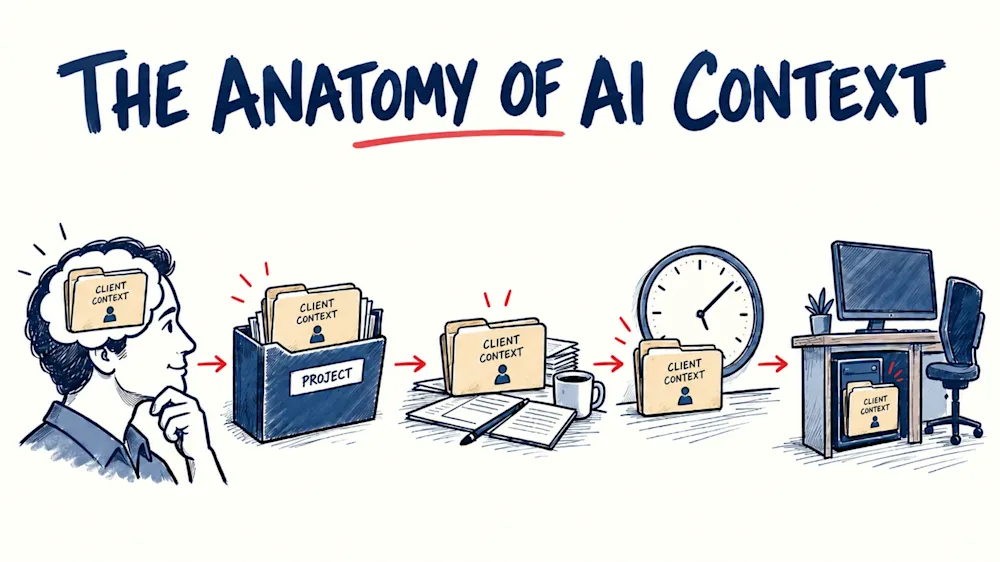
What changes from one layer to the next is where the context lives. Context is everything the AI needs to know to do the job well: who the client is, what you already decided, which numbers are right and how you want it written. On the first layer it lives in your head, on the second in a project, on the third in your files, on the fourth in the clock, and on the fifth on your own machine. What follows is how I climbed them, what each one gave me, and where each one stopped being enough.
Layer 1. Chat: the context lives in your head
I opened my first ChatGPT chat in March 2023, and I still remember how exciting it was. In one conversation I wrote a proposal for a grant call, and in another it helped me build a two-hour workshop. For a paying client, an iOS agency, I built a whole diagnostic method in chats, from the work plan to the finished report. It had endless opportunities for how I could use it.
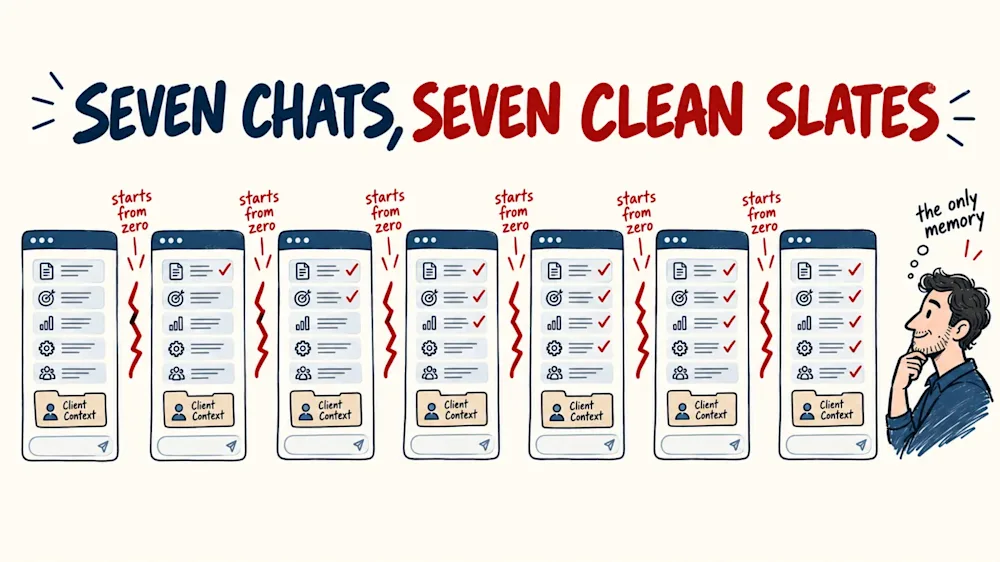
When I needed simple chats, it was amazing. But then, when I started making more complicated prompts, with multiple steps, or wanted to work in the context of multiple documents, that is when I hit the limit of a single chat, and I got frustrated. I felt it first on that diagnostic, which ran for months. Every new chat opened with me explaining what the one before it had done, and I was the only memory the work had.
Once I wanted to take chat a bit more seriously. I wanted to prepare a more complicated prompt, a longer one that included a sequence of five activities it should perform to describe a client's ideal customer. I ran it for one client. It had mistakes, so I had to fix it, start a new chat, run it again, fix it in another place, and run it again. It took me seven iterations, and seven different chats, to get to a point where it was useful. And each chat is like a clean slate, not knowing what the previous one did and where it made a mistake.
With my own documents it was even worse. At the beginning of 2026 I was working with longer files, and the chats started hallucinating on them. Hallucinating is the word for when the AI makes something up and presents it as a fact, with full confidence. It invented chapters that were not in my documents and read my files wrongly, and I spent more time checking the chat than doing the work.
I did not need a smarter chat. I needed the documents and the method to stay in one place.
Layer 2. Projects: the context lives in the project
I got introduced to Projects as a solution to my earlier problems. A project is a space inside ChatGPT or Claude where the documents and the instructions stay from one chat to the next. I was able to attach the client's document once and write the standing instructions once: who the client is, where every number has to come from, what never goes into a report. Within a project, every chat I open inside that project starts with all of it.
The first weeks felt like relief. The instructions stayed, the documents stayed, and tomorrow's chat knew what today's chat had been given. For the first time in a while, I was finally able to stop repeating myself.
Working for a kids franchise, I built a whole set of franchise documents in one day, inside one project. A month later, in the same project, I was able to use the same methods to make a sales offer for another client. I had the context, I had the structure, I just gave it a different task, and was able to use the same context.
As I was getting the most out of projects, I hit new walls in my AI journey. As much as I loved the fact that a project can remember content and files, it fails at editing. I still have to work chat by chat, and every change that I make comes back as a new document from the AI.
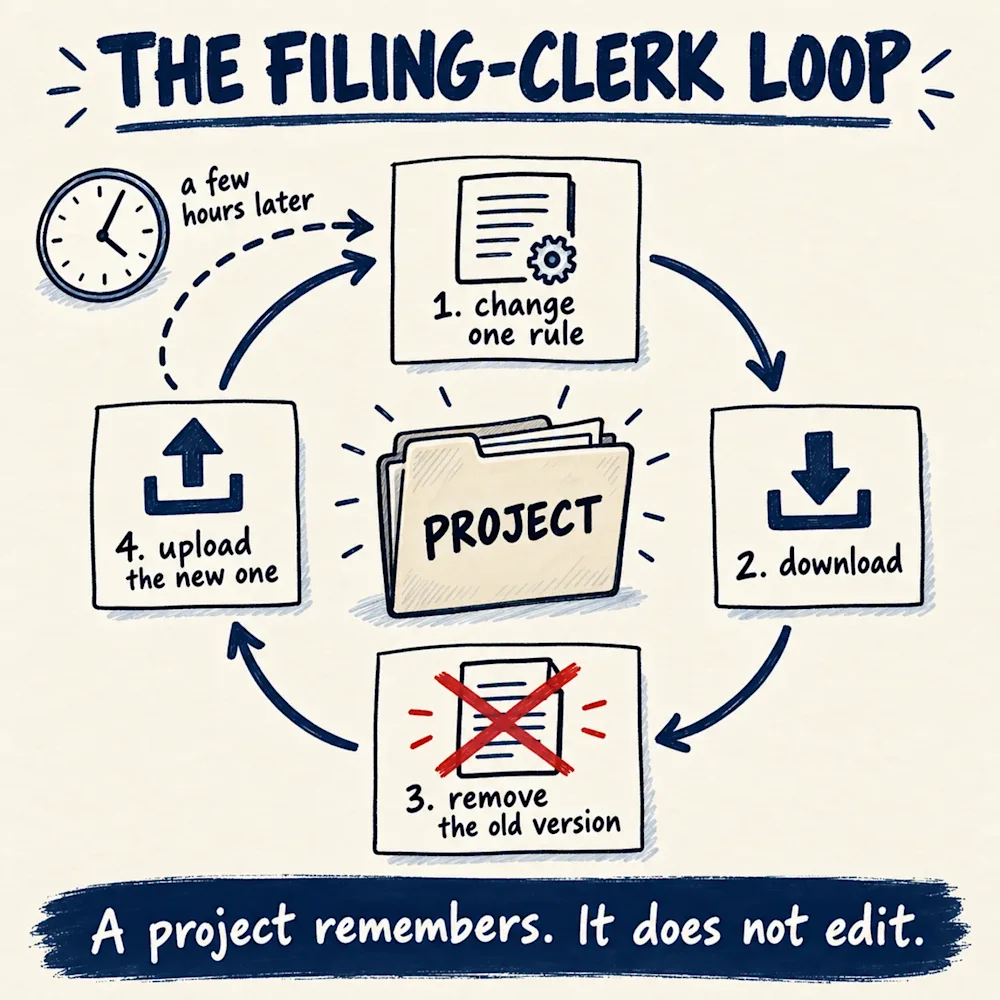
The project's own documents were the most tiring part. Every time I changed a rule in one of them, the chat gave me a new version of the file, and I had to download it, remove the earlier version from the project and upload the new one. A few hours later I would think of another change, and it started all over again: update, download, remove the old one, upload the new one. Some afternoons I felt less like a consultant and more like the project's filing clerk.
The reports worked the same way. One correction on page 12 brought back thirty new pages, so after every rebuild I read the whole report again. If a report gets to version 58, that is 58 downloads and 58 full readings of the same document.
I did not need another rebuild. I needed the AI to open the file and change the one line.
Layer 3. Workspace: the context lives in your files
A workspace is where the AI works on my own computer, inside the folders I give it. It opens my files and edits them itself. Claude Code is the one I use, and the name sounds like a tool for programmers, but at the beginning of the summer I moved my report writing into it.
The first thing I felt was calm. I ask for the line on page 12 to change, and the line on page 12 changes, while the other pages stay exactly as I approved them. Before a report goes to a client, the AI runs its own checks over it, so I no longer hunt for the number that moved.
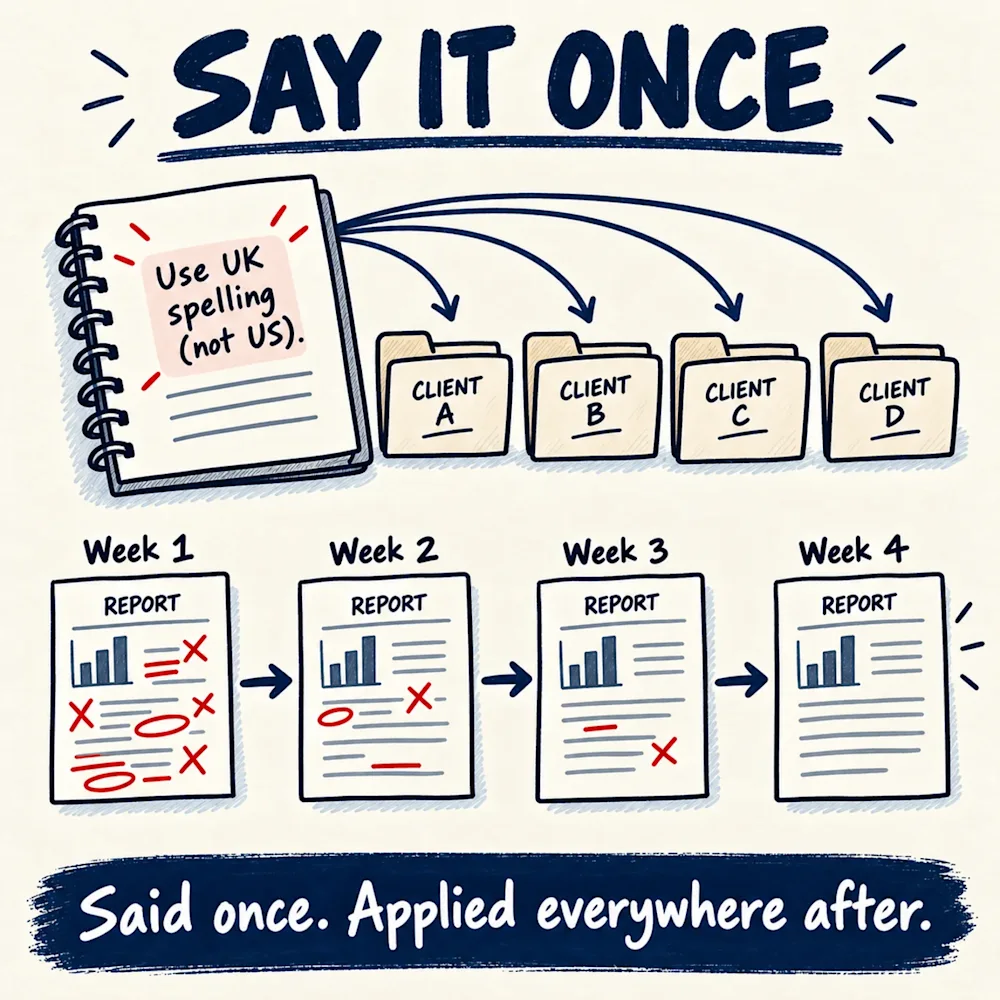
The part that surprised me, though, was the learning. On this layer the AI keeps its own notes, in plain text files next to my documents, about the client, about how I want things written and about what went wrong last time. When I correct something, it is written down there, and every new session starts by reading those notes, so from then on it applies to every client and every project.
That changed how correcting it felt. In the chats, a correction was gone by the next morning, and I typed the same ones again and again. Here I say it once, and it stays. The mistakes I had corrected stopped coming back, and week by week the work got better. For the first time, the AI was getting better the longer I worked with it, and I started to enjoy giving feedback.
Once the notes were in place, I could also chain the work into a series of steps that run one after the other without me. Now I give it the transcript of a kick-off call with a new client, and in one run out come the meeting note, the card on my sales board, the agreement, the email draft to the client and the message to my team. I am also writing a book next to this newsletter, and I told the AI: "I don't want the article wasted, just because I forgot to ask you - it should be a mandatory step for you." Now every edition I publish goes into the book on its own.
Then I hit the walls of this layer too, and the first one is that AI works only when I prompt it. I need to initiate the sequence of activities, I need to tell it what to do, and until I do, nothing moves. So it was serving me like an employee waiting for instructions, a good one, but never with self-initiative. I switched off my early morning runs, so it starts when I sit down and ask.
The second one is the cost. Every time I send a message, the AI re-reads the whole conversation it is in, from the first line. It counts that work in tokens, and a token is a small piece of a word. When I audited one month of my own use, it came to about 19.7 billion tokens, and most of the cost was that re-reading. When a session fills up, it writes down where we are, and a fresh session starts from that note.
I wanted something that works when a message arrives, not when I sit down. The funny part is that I had already tried that, months earlier, and it had not gone well.
Layer 4. Agent: the context lives in the clock
An agent is an AI with three things: a place to live that is always switched on, a channel where work reaches it, like Slack, LinkedIn or email, and permission to act on it. The difference from the workspace is that I am no longer the one who starts it, so a new message gets handled when it arrives, even at night.
Linda was my first AI agent. I trained her to find leads on LinkedIn, and the boring jobs she did fast. She went through hundreds of my client folders in minutes, and I was hooked. For a couple of months she did real work.
Then it started to go wrong. A few weeks in, she burned through money in under an hour, taking pictures of web pages as she browsed. At the beginning of the summer the computer she lived on ran out of memory, and she simply stopped. Later in the summer I brought her back, and two days after that the access to the AI behind her was cut. The one run that survived found no contacts I could use. It hurt more than the chats ever did, because I had believed in her. Sofija, my content agent, did no better. She proved her whole process on several articles and never published one.
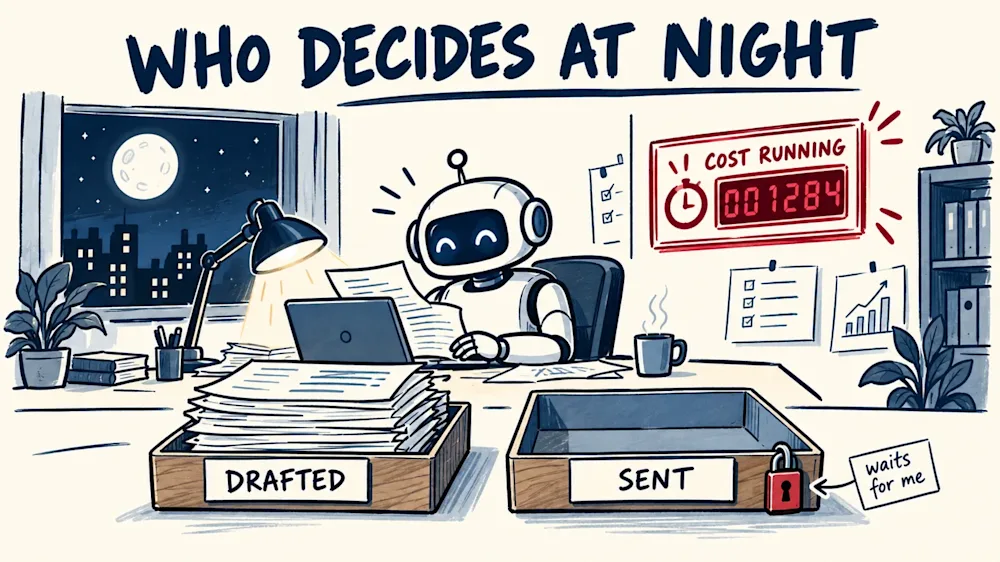
But the limitation of this layer is the same for every agent. An agent works without me, so nobody catches the mistake, and the meter runs while I sleep.
So Hermes, my personal assistant, reads and drafts and never sends, and every draft waits for me. On this layer the real decision is what the agent may do alone, and what has to wait for me.
Layer 5. Your own LLM model: the context lives on your own machine
This one is short, for the tech-curious. An LLM, a large language model, is the engine behind ChatGPT and Claude. At the end of September I put two open models, a small one and a bigger one, on the graphics card of my own desktop computer, through a free tool called Ollama.
There is no meter per job, and the client's text never leaves my machine. The same evening Hermes answered me in Slack for the first time, running on the small model, and it made my evening. Within the hour it did its first real job: it read a job post in twenty seconds, filled in what the post actually said, left the rest empty, and invented nothing.
But I cannot trust it with everything yet. My rule is that nothing goes local without a written set of rules and one test it has passed. The bigger model passed every test I gave it that day, and the small one failed on Macedonian. Judgement, proposals, anything in my voice, diagnostics and pictures stay on the paid models. I have no figure yet on money saved, and I did it because of the bill from the third layer.
Which layer are you on?
You do not need all five layers, and a quick question still belongs in a chat. But if the same wall keeps coming back, that wall is usually the edge of your layer, not the limit of AI.
If you type the same background into every new chat, open a project. If you download, remove and upload the same file every afternoon, move to a workspace. If everything waits until you sit down, look at an agent, and decide first what it may do alone. If the bill is what worries you, look at your own model. Every move up took away the wall I was hitting, and showed me the next one.
Which layer are you on today, and what is the wall you keep hitting?
If this was useful, follow Anatomy of Consulting on LinkedIn, and the next edition comes to you.
Questions readers ask
What does "context" mean when a consultant works with AI?
Context is everything the AI needs to know to do the job well: who the client is, what you already decided, which numbers are right and how you want it written. What matters is where it lives. In a chat it lives in your head, and you type it again every time. In a project it lives with the documents and instructions you attached, in a workspace it lives in files on your own computer, with an agent it lives on a machine that is always switched on, and with your own model it stays on your own machine.
Why does ChatGPT forget my client every time I start a new chat?
Every new chat starts as a clean slate. It does not know what the chat before it did, which numbers you corrected or where it made a mistake, so you are the only memory the work has. When I built a five-step prompt to describe a client's ideal customer, it took me seven chats to get it right, and in each one I explained again what the last one got wrong. If you type the same background into every chat, open a project, where the documents and the instructions stay from one chat to the next.
Is a ChatGPT or Claude project enough for client work?
A project stops the repeating. I attach the client's documents once and write the standing instructions once, and every chat I open inside that project starts with all of it. Where it stops is editing, because every change comes back as a new version of the document. I downloaded it, removed the old file from the project and uploaded the new one, and a few hours later I did it all again. With a report, one correction on page 12 brought back thirty new pages, and I read all of them again.
Can a consultant who does not write code use Claude Code?
The name sounds like a tool for programmers, but at the beginning of the summer I moved my report writing into it. It works inside the folders I give it on my own computer and edits my files itself, so when I ask for the line on page 12 to change, only that line changes, and the pages I already approved stay as they were. It also keeps its own notes in plain text files next to my documents, so a correction I make once is read at the start of every new session and stops coming back. The limit is that it only works when I ask, and every message makes it re-read the whole conversation, which is where most of my cost went.
When is an AI agent worth it for a consultant, and what should it never do alone?
An agent is an AI with a place to live that is always switched on, a channel where work reaches it, like Slack or email, and permission to act on it. It is worth it when work should be handled the moment a message arrives, even at night. The risk is that it works without you, so nobody catches the mistake and the meter runs while you sleep. My first agent did the boring jobs fast, and a few weeks in it burned through money in under an hour, so my personal assistant agent now reads and drafts and never sends, and every draft waits for me. Decide what the agent may do alone before you switch it on.
About the author
Dancho Dimkov writes Anatomy of Consulting, a publication about the practice of business diagnosis. Read more about the publication.
Stages referenced here are links in the diagnostic journey (7 links in total).