
Your AI Asks You Questions It Could Answer Itself
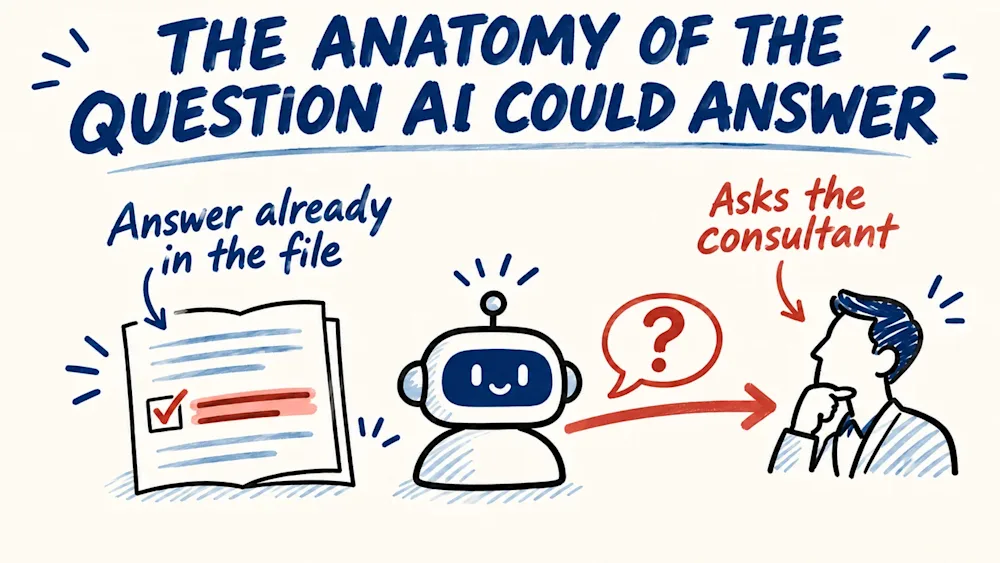
As consultants, many of us now spend part of every working day answering questions from our AI. I started counting mine, and a lot of them were not really questions. They were lookups the AI had skipped.
In early November I sat down with an AI to prepare a presentation. I gave it the context and the agenda, and asked it to help me build the talk. What came back was questions, about details that were already in the agenda in front of it. Half an hour in, I typed: "the last 30min you asked me 20 questions that you should be the one recommending the answers rather than just asking me." The twenty was my feeling in the moment, not a count, but the feeling was familiar. The next day it was still asking me what the session was about and what its goal was, which a quick search would have answered.
What my log of corrections shows
Every time I correct my AI, the correction goes into a log: what I said, and on which day. I keep it so the AI stops repeating the same mistakes, and after that week I went back through it to see how often the mistake was a question.
Between August and November 2026 I stopped an AI 25 times and pointed it to where the answer already sat: a file, a folder, my mail, a chat archive, the transcript of a call, a public web page. I counted each correction once and left out my own remarks and the times it asked again for a decision I had already given. So this is a count of my corrections, not of the questions. Most questions I simply answered, and those never reached the log.
One of them stays with me. The AI had the transcript of a client call in front of it and still asked me about the call. I asked it back why, since it had the transcript and knew as much as I did. The answer to its question had been in that transcript the whole time.
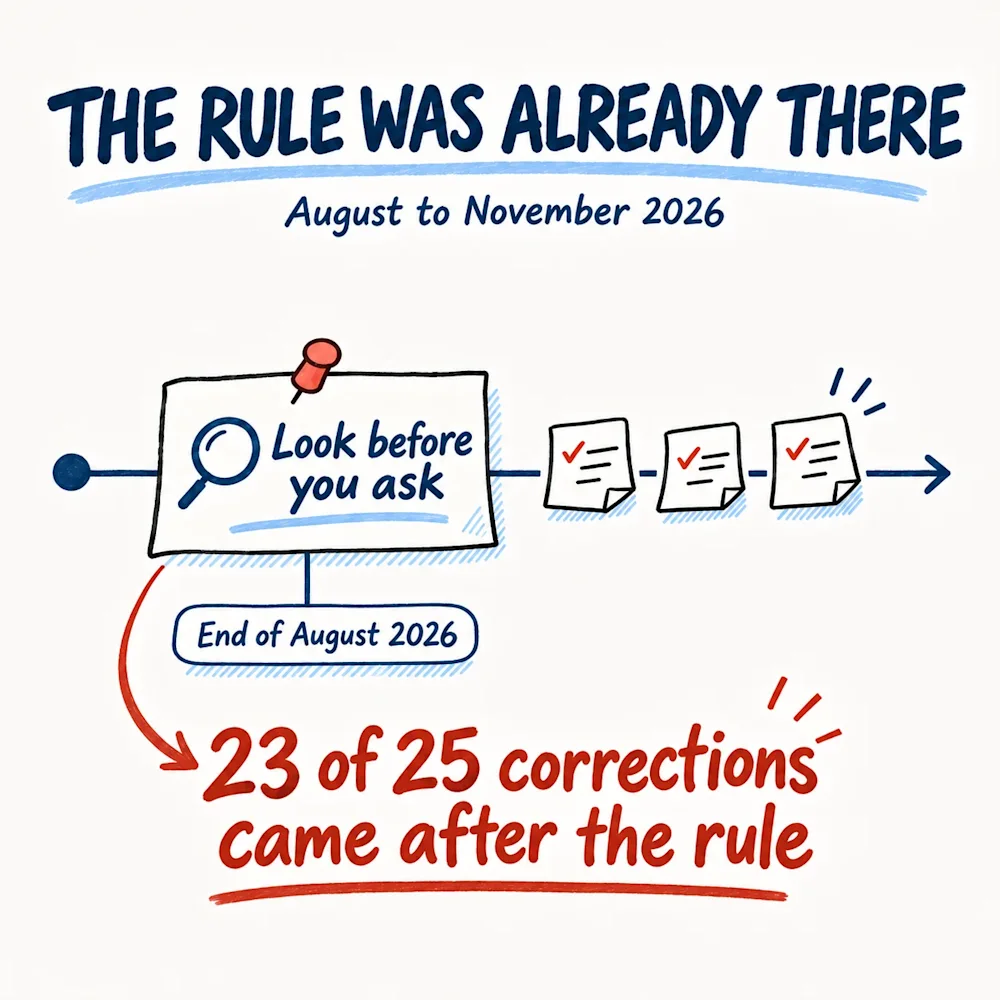
The part that stung was the date. At the end of August I had written the rule down, in plain words, in the standing instructions my AI reads before it starts any work: look before you ask. Of the 25 corrections, 23 came after that.
Why a written rule did not work
The rule was there, and the questions kept coming, so I tried to understand why. Here is my own reading. "Look before you ask" tells the AI what I want. It does not tell it where to look, when it has looked enough, or what it is allowed to decide once it finds the answer. Without those three, asking me is the safest move it has.
The clearest case came this November. An AI was filling in a form for me, and it stopped to ask me whether my book was self-published or with a publishing house. The publisher's name was in a facts file in my own folders and, as I told it, on the product's public page. One search would have closed the field. On the same form it left four of my author fields empty, without looking and without asking.
What I actually wanted was in the same message I had typed while preparing the presentation: "You do the reading, you do the planning, you come back to me with bold recommendations". A rule says what I want. It does not say how to get there.
Five steps before any question reaches me
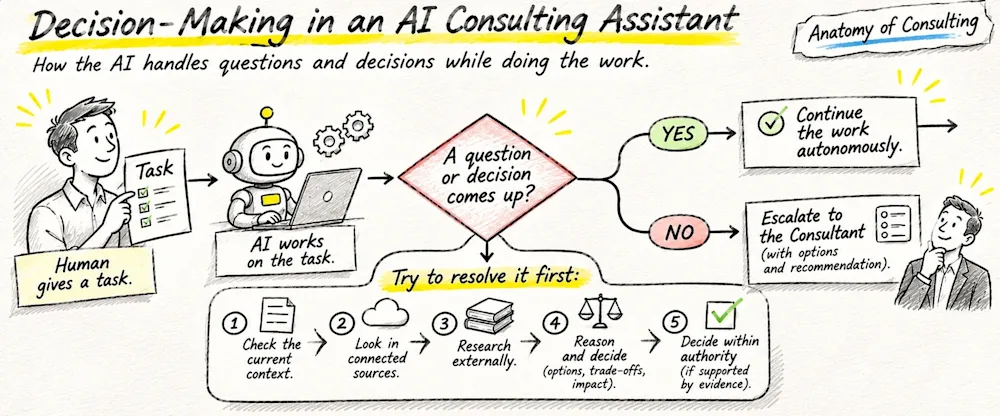
So I stopped writing rules and wrote a procedure. It starts where every working session starts. I give the AI a task, the AI works on it, and sooner or later a question or a decision comes up. That moment is what the procedure is for. Before the question is allowed to reach me, the AI tries to resolve it first, in five steps and in this order.
Step 1. Check the current context
The first place to look is everything I have already given it: the brief, the conversation so far, the files I attached and the folder I pointed it to. It sounds too obvious to write down, and it is the step my AI skipped most often. When I prepared the presentation, the agenda was in the story I had given it at the start, and the questions came anyway. All I could write back was "you coudn't deduct that from the agenda?"
The same happens with files. In another session the AI told me it could not find the latest version of a document, and the version sat in the folder I had already named. So step one means reading again what I gave it, with the question in mind, before deciding the answer is missing.
Step 2. Look in connected sources
The second place is the sources I have connected to the AI that are relevant to the task: my calendar, my Gmail, my Google Drive, my GitHub. I connected them so that the AI can get the missing information without asking me.
In my log this step comes back again and again. Once the AI asked me about my doctorate, and my answer was that everything I have on it is either in one folder or in my email. Another time it did not know the status of one campaign. The folder I had named held the sheet with the status, and my mail held the vendor's email about it. In both cases the AI had access to the place, and it asked me instead of opening it. Step two means it searches these sources before it decides that anything is missing.
Step 3. Research externally
When the answer is not in what I gave it and not in my own sources, it is often on a public page: the client's website, the host of an event, a product page. The publisher's name on the form was this kind of question. So were the session and its goal the day after the presentation, when what I wanted was for the AI to research the host, the agenda, the session and the goal on its own. On another task, about a lead, I wrote: "you should do your web research to get the missing data. not asking me."
The steps also work together. Once my answer to a question was: "google it. if it is not on their web, it might be in the signature of the emails I was receiving, or on google." That is step three, then step two, then step three again.
Step 4. Reason and decide
Now the AI has what it could find, and it works out what kind of question it is holding. A fact it can fetch: by this step it has fetched it. A choice that already has a precedent in my files: it follows the precedent. A decision only I can make: that one stays mine. Every one of the 25 corrections in my log was about the first kind.
The middle kind is where the AI kept coming back to me without reason. In one piece of work we had settled a length, and an earlier audit the AI itself had run had confirmed that length with facts. It still asked me about the length again. My answer was: "we had one lenght, then you did 90day audit - proved with facts on the lenght, so that is the lenght."
For what is left, the AI reasons the way I would: what the options are, what each one costs and what it changes in the work. Then it picks one. This is what was missing in the presentation week. The questions it brought me there had answers it could have weighed itself, and my message said so: it "should be the one recommending the answers rather than just asking me". The same message asked for "bold recommendations". A recommendation is step four done: the options weighed and one of them chosen, with the reason.
Step 5. Decide within authority
Its authority is what I have said it may settle alone: anything with a precedent in my files, anything inside the brief I gave, anything it can still undo before I see it. When an AI asked me to approve items that were already written in the document it was working from, I put it in a single line: "if they are in the document, consider them as approved". It settles these only where the evidence supports it, and it tells me in one line what it decided and where it found it.
Anything that adds a promise, a price, a new person to contact, a send or money waits for my word, my go-ahead, even when the AI is sure of the answer. And finding the fact is never permission to act. Here is an example: the AI finds a client's address in an old email thread. The draft can carry the address, but the email still waits for me to send it.
After step five there are two ways out. If the question is resolved, the AI continues the work on its own. If it is not, a question reaches me, and it reaches me as one question: what it checked, in one line, the options, and its pick first, so I can answer with a yes or a no. I call that escalating with a pick.
The first session that ran the steps
I wrote the steps down the same week as the publisher form. The first working session that ran them kept its own log of the questions it met, and five came up. Four it settled from files and rules without me, each with the places it had checked. One reached me, and it was a decision only I could make. So instead of answering five questions, I answered one, and that one had already been through the five steps. That is 80% fewer questions reaching me.
Five questions is one session, not a study, and that log is the AI's own account of what it did. But the one question I got was a question for me, which is more than I could say about the week of the presentation.
Where the steps can go wrong
The steps have one way to fail: an AI that is told to stop asking can start guessing. A list of answers can look researched and still be guesses. I think a guess that looks like a decision is worse than a question, because I do not see it coming.
So the place is the test. If it cannot name the place, it did not find it, and the question comes back to me. The AI does the reading. The go-ahead stays with me.
Start with your last ten questions
Take the last ten questions your AI asked you and mark which ones had the answer in a file. The ones you mark are the reading it skipped, and the five steps are where you tell it to do that reading before it comes to you. The ones you cannot mark were yours all along: a price, a promise, a send. Those questions should keep coming, and with the five steps in place they arrive one at a time, with a pick.
For each question you mark, write next to it where the answer was: a file, the mail, the web. That list is the first thing your AI should search before it comes to you, and it goes into the instruction. Here is an example of the instruction I would give to any AI assistant, the five steps in one block you can copy:
Before you ask me anything, run five steps. One: check the current context, the brief, this conversation and the files I gave you. Two: look in the connected sources, my calendar, mail, drive and code, before you decide anything is missing. Three: research externally, on the web. Four: reason and decide: is it a fact you can fetch, a choice with a precedent in my files, or a decision only I can make; for what is left, weigh the options. Five: decide within your authority, where the evidence supports it, and tell me in one line what you decided and where you found it. Finding a fact is never permission to send, promise, pay or contact anyone. If a question survives, ask me one, with what you checked in one line, the options and your pick first.
An AI that asks you everything has not been told what it may decide.
Which question did your AI ask you this week that it could have answered itself?
If this was useful, subscribe to Anatomy of Consulting on LinkedIn, and the next edition comes to you.
Questions readers ask
Why does my AI assistant ask me questions it could answer itself?
In my case, because it knew what I wanted and not how to get there. My instructions said "look before you ask". They did not say where to look, when it had looked enough, or what it could decide once it found the answer. Between August and November 2026 I corrected an AI 25 times for asking me something it could have found, and 23 of those came after I wrote the rule.
Where should an AI look before it asks a consultant a question?
In this order: what you already gave it (the brief, the conversation, the files and the folder you named), then the sources you connected (calendar, mail, drive, code), then the web. When an AI asked me whether my book was self-published or with a publishing house, the publisher's name was in a facts file in my own folders and, as I told it, on the product's public page.
What can an AI assistant decide without asking me?
What you have already settled: a choice with a precedent in your files, anything inside the brief, anything it can still undo before you see it. When an AI asked me to approve items already written in the document it was working from, my answer was "if they are in the document, consider them as approved". A promise, a price, a new contact, a send or money still waits for your word.
How do I stop my AI from guessing once it stops asking?
Ask it to name the place behind each answer: the file, the mail thread, the web page. If it cannot name the place, the answer is a guess and the question is still open, so it comes to you with what it checked and its pick.
Does a step-by-step procedure really cut the questions an AI brings me?
In the first working session that ran my five steps, the AI met five questions. It settled four from files and rules, each with the places it had checked, and one reached me: a decision only I could make. Five questions became one, 80% fewer. That is one session, and the AI's own account of it, not a study.
About the author
Dancho Dimkov writes Anatomy of Consulting, a publication about the practice of business diagnosis. Read more about the publication.
Stages referenced here are links in the diagnostic journey (7 links in total).